Blog · Financial reporting
How to look up a nonprofit's Form 990, EIN, and tax-exempt status
June 27, 2026 · By Benjamin Reinke
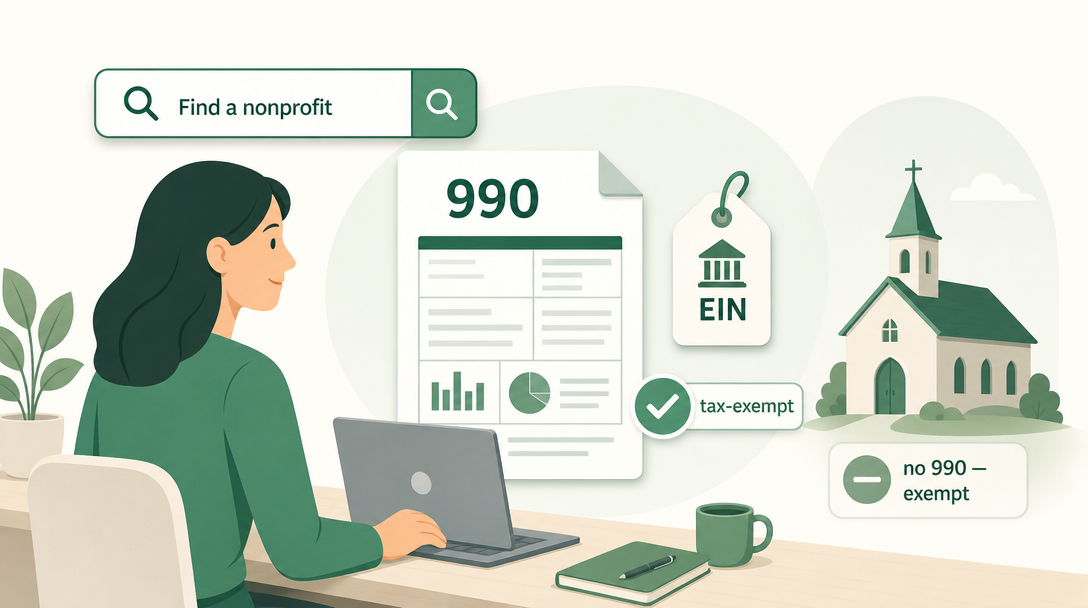
Short answer: You can look up almost any nonprofit’s Form 990, EIN, and tax-exempt status for free using three public tools — the IRS Tax Exempt Organization Search (TEOS) to confirm an organization is a recognized 501(c)(3) and see its determination letter, ProPublica Nonprofit Explorer for a large searchable database of 990 filings, and Candid / GuideStar for fuller nonprofit profiles. Search by organization name or EIN, confirm you’ve got the right entity, then read the 990 for revenue, expenses, and executive pay. One important exception: churches aren’t required to file Form 990, so a church usually has little or no public 990 data — and that’s normal, not a red flag.
Why people look up a nonprofit’s Form 990
People pull a nonprofit’s Form 990 for the same underlying reason: they want to see how an organization actually handles money before they trust it with theirs. The 990 is the annual information return most tax-exempt nonprofits file with the IRS, and it’s public record — anyone can read it. (For what the form itself contains and which version each nonprofit files, see IRS Form 990.) The four most common reasons to go looking:
- Donors doing due diligence. Before making a real gift, a careful donor checks that the organization is a recognized 501(c)(3) (so the gift is deductible) and reads the 990 to see how much of each dollar goes to programs versus overhead and salaries.
- Board members researching. A current or prospective board member reviews the 990 to understand the organization they’re responsible for — its finances, top-paid people, and related-party transactions.
- Grantmakers verifying. Foundations confirm an applicant’s exempt status and EIN, and check financial health, before cutting a check.
- Checking your own org’s public record. Treasurers and executives look up their own filing to confirm it posted correctly and to see exactly what the public sees.
In every case the lookup answers two questions: is this a legitimate, recognized tax-exempt organization, and what do its numbers look like?
The three free tools for a nonprofit 990 lookup
There are three free, authoritative places to look, and they do slightly different jobs. The IRS tool is the place to verify status; ProPublica is the place to read the actual 990s fast; Candid/GuideStar adds context and profile detail. Most serious lookups use the IRS for verification and ProPublica for the filings.
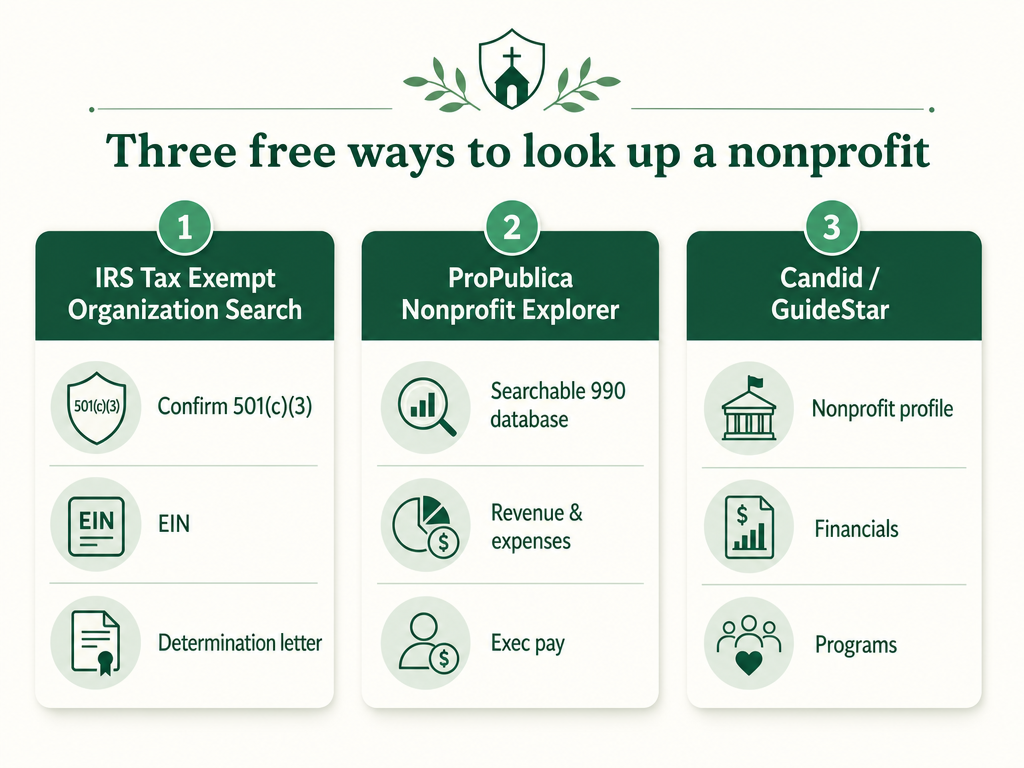
| Tool | Best for | What it shows | What it costs |
|---|---|---|---|
| IRS Tax Exempt Organization Search (TEOS) | Verifying status | Exempt status, EIN, deductibility, determination letters (dated on or after Jan. 1, 2014), 990-N filings, auto-revocation list | Free |
| ProPublica Nonprofit Explorer | Reading the actual 990s | A large searchable database of Form 990 filings — revenue, expenses, executive pay, programs — often going back many years | Free |
| Candid / GuideStar | Fuller profile + context | Nonprofit profile, mission, programs, financials, and 990s | Free tier; deeper data is paid |
IRS Tax Exempt Organization Search (TEOS) — verify status, EIN, and the determination letter
The IRS Tax Exempt Organization Search is the official source of truth for whether an organization is actually tax-exempt. It’s the tool to use when the question is “is this a real, recognized 501(c)(3), and is my donation deductible?” (For what that letter is and how to get your own, see the 501(c)(3) determination letter guide.) You search by organization name or EIN at the IRS Tax Exempt Organization Search, and the tool lets you check several IRS data sets at once:
- Pub. 78 data — organizations eligible to receive tax-deductible charitable contributions.
- Determination letters — the IRS letter recognizing exempt status, available for letters dated on or after January 1, 2014.
- Form 990-N (e-Postcard) filings — the short annual notice tiny nonprofits file.
- The auto-revocation list — organizations that lost exempt status for not filing for three consecutive years.
The IRS tool is authoritative but limited as a 990 reader: it surfaces 990-N e-Postcards and copies of recent Form 990-series returns the IRS has processed, not a deep, fully searchable archive of every full 990. For that, go to ProPublica.
ProPublica Nonprofit Explorer — the searchable database of 990 filings
ProPublica Nonprofit Explorer is the fastest free way to actually read a nonprofit’s Form 990. It’s a large, searchable database built from IRS filing data, and for most organizations you can pull up several years of returns and read the numbers directly. Search by name or EIN at ProPublica Nonprofit Explorer, open the organization, and you’ll typically find:
- Total revenue and expenses for each filing year.
- Executive compensation — what the highest-paid officers and staff earned.
- Program details — what the organization says it spent money on.
- The full 990 PDFs, where available, to read line by line.
Because Nonprofit Explorer pulls from the IRS’s own data, it’s the practical workhorse for donors, board members, and journalists who want to compare a few years of a nonprofit’s financials side by side. It’s the tool to reach for when you want the story the numbers tell, not just a yes/no on exempt status.
Candid / GuideStar — nonprofit profiles and financials
Candid (the organization formed by the merger of GuideStar and Foundation Center) runs the nonprofit profiles many people still call “GuideStar.” A Candid/GuideStar profile pulls together an organization’s mission, programs, leadership, financials, and 990s in one place, and many organizations claim and enrich their own profile with details that aren’t on the bare tax form. The basic profile and search are free; Candid’s deeper analysis tools and bulk data are paid subscriptions. Use Candid when you want context and a fuller picture of the organization, beyond what the raw 990 shows.
How to look up a nonprofit’s 990 — step by step
Looking up a 990 is a short process once you know which tool does what. A reliable order:
- Search by name or EIN. Name works, but the EIN (the nonprofit’s nine-digit federal tax ID) is the precise way to find the exact entity, since many organizations share similar names. If you only have a name, the IRS tool or ProPublica will return matches to pick from.
- Confirm it’s the right entity. Check the legal name, city/state, and EIN against what you expect. Big national charities have local chapters and similarly named affiliates that file separately — make sure you’re reading the right one.
- Verify exempt status on the IRS tool. Confirm the organization appears in TEOS as currently recognized and, if deductibility matters, that it’s in the Pub. 78 list. Check it’s not on the auto-revocation list.
- Read the 990 on ProPublica. Open the most recent filings and look at revenue, expenses, the program-vs-overhead split, executive pay, and any big year-over-year swings.
- Add context from Candid if you need it. For mission, programs, and a fuller profile, check the organization’s GuideStar/Candid page.
What you can and can’t find in a nonprofit 990 lookup
A 990 lookup is powerful but not unlimited, and knowing the edges saves confusion. Here’s the honest split.
What you can find for a nonprofit that files:
- Its exempt status and whether donations are deductible.
- Its EIN and legal name.
- Its Form 990 — total revenue and expenses, executive compensation, the largest program expenses, and governance details — usually for multiple years.
What you can’t reliably find:
- Churches usually have no public 990. Churches, their integrated auxiliaries, and conventions or associations of churches are not required to file Form 990 at all, so there’s typically little or no public 990 data for a church. The absence is expected — it doesn’t mean the church is hiding anything or isn’t legitimate. (For why a church is automatically exempt without filing, see are churches tax exempt.)
- Little detail from very small nonprofits. Organizations with gross receipts normally $50,000 or less file the 990-N (e-Postcard), an eight-question notice with no financial detail. You’ll confirm they exist and filed, but you won’t see a revenue-and-expense breakdown.
- The freshest numbers. The 990 is an annual filing processed after the fact, so the most recent year you can read is usually one to two years behind today.
- A polished narrative. The 990 is a tax form, not a nonprofit annual report — for mission stories and impact, you’ll need the organization’s own published materials.
Why a church showing little or no 990 data is normal
The church exception is worth repeating, because it confuses donors and even some board members. When you look up a church and find no Form 990 — or only sparse records — it’s almost always because the church was never required to file one. The same rule that makes a church automatically tax-exempt also exempts it from the annual 990 filing requirement. So a church’s transparency comes from its own church financial statements and its report to the congregation, not from a public IRS filing. If you’re vetting a church and want to see the numbers, ask the church directly for its financial statements; that’s the right place to look, not a 990 database.
Vestrybooks keeps a church’s money-in-and-out clean and by-fund all year, so even though your church never files a 990, the figures behind your financial statements are always one click away when a donor or board member asks. See plans →
FAQ
Can you look up a nonprofit’s 990? Yes. For most tax-exempt nonprofits, the Form 990 is public record and free to look up. Use the IRS Tax Exempt Organization Search to confirm exempt status and EIN, and ProPublica Nonprofit Explorer to read the actual 990 filings — revenue, expenses, and executive pay. The main exception is churches, which aren’t required to file a 990, so they usually have little or no public 990 to find.
Are nonprofit 990s public? Yes. Form 990 is open to public inspection by law, and organizations that file one must make their return available on request. That’s why donors, grantmakers, journalists, and rating sites can read any filing nonprofit’s 990 through free tools like ProPublica Nonprofit Explorer.
How do I look up a nonprofit’s financials? Search the organization by name or EIN on ProPublica Nonprofit Explorer and open its Form 990, which reports total revenue, expenses, the program-versus-overhead split, and top executive pay — often for several years. Confirm the organization’s exempt status separately on the IRS Tax Exempt Organization Search.
How can I look up a nonprofit and confirm it’s legitimate? Use the IRS Tax Exempt Organization Search to confirm the organization is a currently recognized tax-exempt entity, that it’s in the Pub. 78 list (so donations are deductible), and that it’s not on the auto-revocation list. Match the legal name, city, and EIN to be sure you have the right entity, then read its 990 on ProPublica for the financial picture.
Why can’t I find a church’s Form 990? Because churches aren’t required to file one. Churches, their integrated auxiliaries, and conventions or associations of churches are exempt from the Form 990 requirement, so they generally have no public 990 on file. A missing church 990 is normal, not a warning sign — to see a church’s finances, ask it for its financial statements directly.
This is general information, not tax or legal advice — confirm an organization’s status and your own filing requirements with a qualified professional.
This article is general information for church treasurers, not professional tax or legal advice. For your church's situation, consult a qualified accountant or attorney.
Church accounting a volunteer can actually do.
Vestrybooks is church accounting + giving for the volunteer treasurer — fund tracking, one-click year-end statements, and online giving with $0 taken from every gift.
A real free plan · no credit card · your data stays yours